
How to Create a Coloring Book with AI: 5 Simple Ways
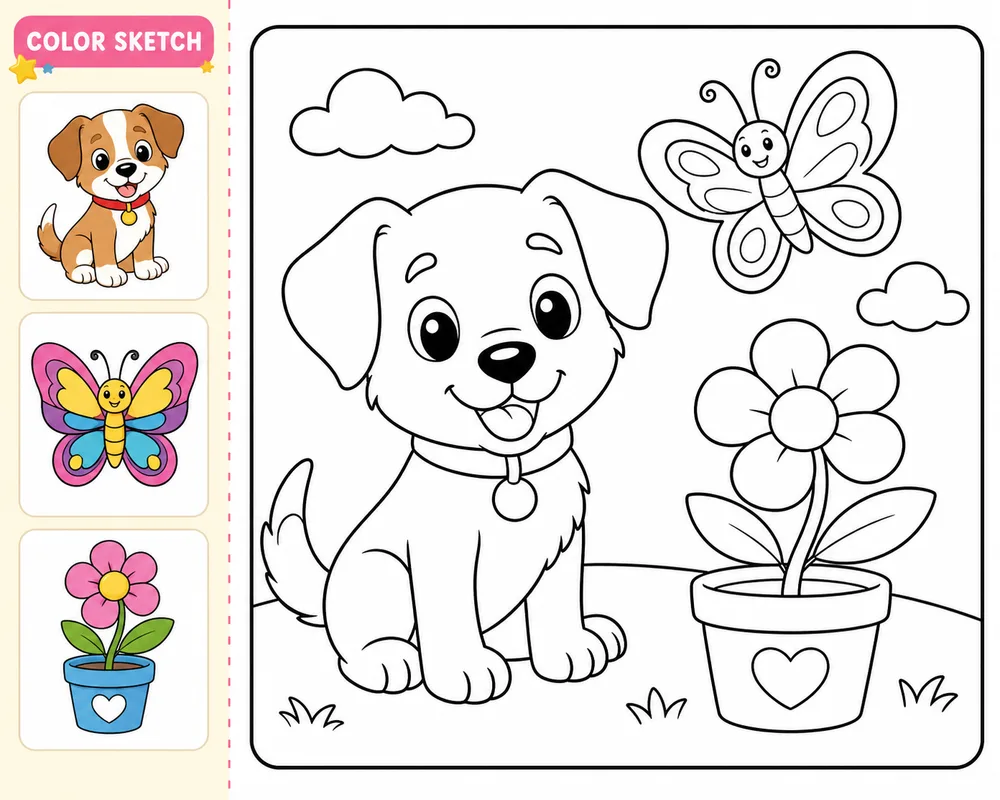
Want to create a coloring book with AI? The process is simple in theory: make coloring pages, arrange them in order, export a PDF, and print or publish it.
The tricky part is the middle. Many AI tools create images, but they do not always create a real coloring book file. You may still need to download every page, resize images, check margins, merge everything into a PDF, and make sure it is ready for KDP, Etsy, or personal printing.
Here are five practical ways to do it, from fully manual to more book focused.
1. Use ChatGPT and assemble the PDF yourself
This is the easiest way to start because you can ask ChatGPT to create individual coloring pages.
Example prompt:
Create a black and white coloring page for kids featuring a cute puppy in a garden, bold clean outlines, simple shapes, white background, no shading, no gray tones.
Then repeat the prompt for each page in your book. For example, you might create 20 pages around puppies, flowers, butterflies, toys, and outdoor scenes.
The manual workflow usually looks like this:
- Generate one coloring page.
- Download the image.
- Rename the file.
- Repeat until you have enough pages.
- Upload the images into Canva, Google Slides, Word, or another layout tool.
- Resize every page.
- Check margins.
- Export as PDF.
- Open the PDF and check every page again.
This works, but it gets tiring fast. If you are making one or two pages for personal use, it is fine. If you are making a 30 or 50 page book, downloading, resizing, merging, and fixing pages can become a long manual job.
Best for: testing ideas, personal coloring pages, small printable packs.
Main drawback: the process is manual and easy to mess up when the book gets bigger.
2. Use Canva for layout
Canva is useful when you already have your coloring pages and want to turn them into a clean PDF.
You can create a custom page size, upload your images, place one image on each page, add a cover or title page, and export the file as a PDF.
This is better than using a normal document editor because Canva gives you more layout control. It is especially useful for Etsy printables, teacher worksheets, activity packs, and short personal books.
Still, Canva does not remove the manual work. You still need to create the coloring pages somewhere else, place every image, check spacing, and export the final file.
Best for: Etsy bundles, classroom packs, short PDFs.
Main drawback: it helps with layout, but it does not create a full coloring book automatically.
3. Use general AI image tools
You can also use tools like Midjourney, Leonardo AI, Adobe Firefly, or other AI image generators to create coloring book pages.
These tools can be good if you want more control over the style. For example, you can try cute animals, fantasy gardens, cozy homes, mandalas, or detailed adult coloring pages.
The problem is that general image tools often create art that looks nice but is not always good for coloring. You may get gray shading, messy lines, tiny details, or pages that do not match each other.
Use prompt words like:
- black and white line art
- bold clean outlines
- white background
- no shading
- no gray tones
- coloring page style
Even then, you still need to download the images and build the PDF yourself.
Best for: creators who want more visual style control.
Main drawback: image tools make pages, not finished books.
4. Use coloring page tools
Tools like ColorifyAI and iColoring AI are more focused on coloring pages. They can turn text prompts or uploaded photos into coloring pages faster than many general image tools.
This is useful if you want quick single pages, simple printable packs, or classroom activities. Some tools also offer PDF downloads, depending on the feature set.
Before using the pages commercially, check the tool terms and inspect the output carefully. Look for clean lines, clear shapes, sharp resolution, and no strange details.
Best for: quick coloring pages and small printable sets.
Main drawback: you may still need extra formatting for KDP or a polished Etsy product.
5. Use InkChamps for a print ready coloring book
InkChamps is built more around the full coloring book workflow. Instead of only generating single images, it helps you create multiple pages around a theme and download a printable PDF.
That matters if your goal is a finished book, not just a folder of images.
With InkChamps, a coloring book creator built for KDP, you can create themed coloring pages and prepare a print ready file for KDP, Etsy, personal printing, gifts, or classroom use. It helps reduce the repetitive parts, like creating pages one by one, placing them manually, and merging everything into a final PDF.
It is not the only way to make a coloring book with AI. ChatGPT, Canva, and other tools can work. But if you want the shortest path from idea to printable book, a book focused tool is usually easier.
Best for: full coloring books, KDP interiors, Etsy printable books, and repeat creators.
Main drawback: it is more useful for complete books than for one quick coloring page.
Quick comparison
| Method | Best for | Biggest issue |
|---|---|---|
| ChatGPT plus manual PDF | Testing and personal pages | Lots of downloading and merging |
| Canva | Layout and Etsy bundles | Still manual |
| General AI image tools | Custom art style | Not built for book files |
| Coloring page tools | Fast single pages | May need extra formatting |
| InkChamps | Print ready coloring books | Best when you need a full book |
What makes a good AI coloring book?
A good coloring book page should be easy to color, not just pretty on screen.
Look for:
- clean black lines
- white background
- no gray shading
- enough open space
- consistent style
- simple shapes for kids
- more detail only when the book is for adults
Always print a test page before publishing or selling. Paper reveals problems you may miss on screen.
For ready-made starting points, browse the AI coloring book prompts by theme: each one states the reader's age, page count and style.
Final answer
For nine tools side by side, with monthly prices and KDP support, see the best tool to create a KDP coloring book.
If you only want a few pages, ChatGPT or a coloring page tool is enough. If you want to arrange pages into a nice printable pack, Canva helps. If you want more control over art style, try a general AI image tool.
If you want a complete coloring book with less manual work, the InkChamps coloring book maker is a smoother option because it focuses on print ready coloring books, not just single images.
The best choice depends on your goal. For personal use, keep it simple. For Etsy or KDP, think about the final PDF from the start.
Ready to publish your own coloring book?
InkChamps handles the interior, cover, and KDP formatting — all in one shot.
Create your coloring book