
InkChamps vs Canva for Coloring Books: Which Workflow Is Better for KDP?
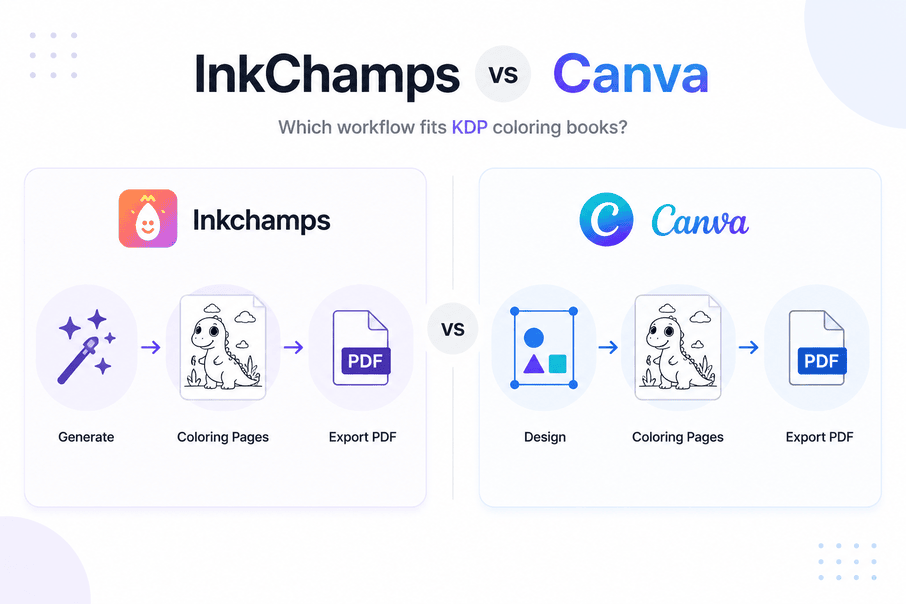
If you are comparing Canva and InkChamps for coloring books, the honest answer is not that one tool is universally better. They are useful at different stages of the workflow.
Canva is a strong design and layout tool. It is very good for assembling pages, designing covers, adding typography, making Etsy listing graphics, and exporting polished PDFs. InkChamps is more focused on creating coloring-book interiors in the first place, especially when the goal is a KDP-ready book with less manual setup.
So the real question is: do you already have the coloring pages, or do you need the tool to create the book for you?
Quick Answer
Use InkChamps if: You want to generate a complete coloring-book interior, keep the pages visually consistent, and reduce the manual formatting work before publishing on Amazon KDP.
Use Canva if: You already have coloring pages from an illustrator, AI tool, or asset library, and you want a flexible design workspace for layout, covers, branding, and final polish.
Use both if: You want InkChamps for page generation and book structure, then Canva for extra cover design, mockups, branding, or marketing graphics.
What Each Tool Actually Does
InkChamps
Primary purpose: Help creators generate coloring-book pages and turn them into a publishable book workflow.
What it handles:
- Coloring-page generation from a theme or story idea
- Multi-page interior creation instead of one image at a time
- Cleaner black-and-white line-art direction for coloring books
- KDP-oriented settings such as trim size, page count, and PDF export
- Story coloring books with page-by-page image and text structure
What you get: A more direct path from idea to coloring-book interior.
Canva
Primary purpose: Help users design and assemble visual documents.
What it handles well:
- Custom-sized documents
- Page layout and alignment
- Text, fonts, branding, and decorative elements
- Covers, mockups, worksheets, and marketing graphics
- PDF export and print-oriented design work
Canva also has AI and image features, templates, stock elements, brand tools, and PDF utilities listed across its public feature pages. That makes it broad and flexible. But that flexibility is not the same as being a dedicated coloring-book generator.
What you get: A very useful design workspace, but you usually still need to bring in the coloring pages or create them one by one.
The Biggest Difference: Generation vs Assembly
This is the core difference.
Canva is good at assembling a coloring book. InkChamps is built to create the coloring book pages and organize them into a book workflow.
If you already have 40 finished line-art images, Canva can be a great place to place one image per page, add a title page, make the cover, and export a PDF. If you do not have the artwork yet, Canva alone can become slower because you still need to find, create, clean, and arrange every page manually.
That is why many KDP creators use Canva as the design layer rather than the illustration layer. They generate or commission the art elsewhere, then use Canva for layout and presentation.
Feature Comparison
| Feature | InkChamps | Canva |
|---|---|---|
| Coloring-book page generation | Yes | Limited, mostly through elements or AI/image tools |
| Full interior workflow | Yes | Manual assembly |
| KDP-oriented setup | Built into the workflow | Possible, but you set it up manually |
| Cover design flexibility | Good | Strong |
| Typography and branding | Basic to good | Strong |
| Consistent characters across pages | Easier in a dedicated workflow | Harder unless art is created elsewhere |
| Story coloring book workflow | Yes | Manual |
| Best for Etsy listing graphics | Useful | Strong |
| Best for general design projects | Narrower | Strong |
A Realistic Canva Workflow for Coloring Books
A good Canva workflow usually starts before you open Canva.
1. Decide the book specs
Before making the file, decide your trim size, page count, single-sided or double-sided layout, and whether the interior needs bleed. For KDP coloring books, 8.5 x 11 inches is common, and many interiors are built with one illustration per page.
Amazon's KDP help is strict about formatting. Its print checks look at things like trim size, margins, cover size, fonts, bleed, and image resolution. If your file has bleed, KDP expects artwork to extend beyond the trim line, and the page size must account for that.
2. Create the Canva document
Create a custom-sized Canva document that matches the interior size you need. If you are publishing to KDP, keep safe margins and avoid placing important details too close to the edge.
3. Create or import coloring pages
There are three common options.
Option 1: Use Canva Elements
You can search for terms like cat outline, dinosaur outline, flower outline, mandala outline, or coloring page. Adding outline usually helps. This can work for simple pages, but the selection of true coloring-book-ready art is limited and style consistency can be hard.
Option 2: Upload AI-generated pages
This is often the better workflow. Generate clean line art in a tool made for coloring pages, then upload the finished images into Canva. InkChamps, ChatGPT image generation, Midjourney, Stable Diffusion, or an illustrator can all sit before Canva in the workflow.
Option 3: Upload illustrator artwork
If you hire an illustrator or buy commercial-use artwork, Canva is straightforward for placing and organizing those files.
4. Arrange the pages
Most coloring books work best with one large illustration per page, clear white space, thick outlines, and no gray shading. For younger children, avoid tiny details. For adults, more detail is fine, but the art still needs to be printable and enjoyable to color.
5. Add optional text
Canva is excellent here. You can add page titles, educational labels, letter tracing, activity prompts, or simple captions. This is especially helpful for alphabet coloring books, classroom worksheets, and Etsy printables.
6. Duplicate and replace
A practical Canva trick is to build one clean page layout, duplicate it, and replace the art. This keeps margins and positioning consistent.
7. Design the cover separately
For a KDP paperback cover, you need front cover, spine, and back cover in one full-cover file. The final cover size depends on page count, paper type, trim size, and bleed. Amazon's cover calculator is useful here because guessing the spine width is a common beginner mistake.
8. Export and inspect
Export the interior as a high-quality PDF and inspect every page before uploading. Canva can help you make a clean PDF, but the responsibility for correct KDP sizing, margins, bleed, and image placement is still on you.
A Typical InkChamps Workflow
InkChamps is shorter because it starts at the coloring-book idea instead of the blank design canvas.
- Enter a theme, niche, or story idea.
- Choose settings such as page count, trim size, age group, and book type.
- Generate coloring pages in a more consistent style.
- Review the pages.
- Export the book as a print-ready PDF.
For story-based coloring books, the workflow is even more different from Canva. InkChamps can turn a short story idea into page moments, generate matching coloring illustrations, and place short story text with each page. In Canva, you can build that manually, but you have to plan the story beats, create the images, place the text, and keep the layout consistent yourself.
Coloring-Page Quality
Canva
Canva can produce usable coloring-book pages if you are careful, especially for simple designs or worksheet-style pages. But the output depends heavily on the elements you choose or the artwork you upload.
Common issues include:
- Elements that are decorative rather than coloring-book-ready
- Mixed art styles across pages
- Filled shapes that need editing
- Thin outlines that may not print well
- AI-generated images with shading or gray textures
Canva is not bad at coloring books. It just does not remove the need to judge line quality.
InkChamps
InkChamps is more focused on coloring-book-friendly output from the beginning. The goal is clean black-and-white art with stronger line-art suitability and less manual cleanup.
You should still review every page before publishing. No AI workflow should be treated as automatic perfection. But for creators who want book interiors, a dedicated coloring-book generator usually starts closer to the target.
Consistency Across Pages
Consistency matters more than beginners expect. A 40-page coloring book should feel like one product, not a folder of unrelated images.
Canva helps you keep page placement consistent, but it does not automatically make the illustrations consistent. If your art comes from different Canva elements, different AI prompts, or different asset packs, the book can feel mixed.
InkChamps is stronger here because it is built around generating pages as part of one book concept. That does not guarantee every page will be perfect, but it usually reduces the amount of manual curation needed.
KDP Formatting and Export
This is where many Canva workflows become more technical.
Amazon KDP reviews uploaded files with automated and manual checks. KDP's own help says the previewer can flag issues around margins, cover size, fonts, trim size, bleed, image resolution, and more. For pages with bleed, KDP describes adding 0.125 inch to the width and 0.25 inch to the height, then making sure images extend past the trim line.
Canva can be used for KDP files, but you need to set up the document correctly, keep margins safe, handle bleed carefully, and export the correct PDF.
InkChamps is more opinionated. It is built around coloring-book publishing settings, so there is less manual setup before export.
Cost and Workflow Cost
Canva can look cheaper if you only think about the design tool. There is a free plan, and many creators already know how to use it. But the real cost is often workflow time.
With Canva, you may still need:
- A separate AI image generator or illustrator
- Commercial-use art assets
- Time to place each page manually
- Time to check margins and exports
- A separate process for cover dimensions
The InkChamps KDP coloring book creator may be more direct if you are making full books regularly because the generation and formatting steps are closer together. It may not replace Canva for every design need, but it can reduce the repetitive book-building work.
Where Canva Wins
Canva has real strengths, and it would be unfair to ignore them.
Canva is better for:
- Covers with more typography and layout control
- Etsy listing images and mockups
- Branding, social posts, lead magnets, and marketing graphics
- Adding text-heavy worksheets or educational pages
- Creators who already have finished artwork
- Teams that need a flexible general design workspace
If you are comfortable with layout and already have good line art, Canva may be all you need for assembly.
Where InkChamps Wins
InkChamps is stronger when the goal is to create the coloring book itself.
It is better for:
- Generating multiple coloring pages from one theme
- Building a full interior faster
- Keeping the workflow focused on KDP coloring books
- Reducing page-by-page assembly work
- Story coloring books with connected scenes and text
- Beginners who do not want to learn document setup first
The tradeoff is that InkChamps is narrower. It is not trying to be the design tool for every possible project.
Which Tool Should You Choose?
Choose InkChamps if:
- You need to create the coloring pages, not just arrange them
- Your main goal is Amazon KDP or printable coloring books
- You want a faster path from idea to PDF
- You care about consistency across a full interior
- You want story-based coloring books without manually planning every page
Choose Canva if:
- You already have finished coloring pages
- You want strong cover design and typography control
- You enjoy hands-on layout work
- You are making Etsy printables, worksheets, or short activity packs
- You need one design tool for many types of content beyond coloring books
Use both if:
- You want InkChamps to generate the interior pages
- You want Canva to create cover variations, mockups, listing images, and promotional assets
- You want a practical publishing workflow without giving up design flexibility
Best Workflow in 2026
For many independent KDP publishers, the most practical workflow is not Canva vs InkChamps. It is Canva plus a specialized creation tool.
A realistic workflow looks like this:
- Research a coloring-book niche.
- Generate consistent black-and-white pages with InkChamps, another AI tool, or an illustrator.
- Use Canva only where it is strongest: covers, branding, text pages, and marketing graphics.
- Export and inspect the final files carefully.
- Upload to Amazon KDP.
For story coloring books, the streamlined version is to generate the storyline, page moments, matching illustrations, and short text in a dedicated tool first. Then use Canva only for optional polish. That avoids the slowest manual work: planning and arranging every story page one by one.
Bottom Line
Canva is a very good tool for designing and assembling a coloring book. It is not always the best tool for generating the coloring pages themselves.
InkChamps is more useful when you want the book creation workflow to start from the idea and produce a full coloring-book interior. Canva is more useful when you already have the art and want design control.
If you are making one small printable pack, Canva may be enough. If you are building KDP coloring books regularly, especially story-based books or multi-page interiors, InkChamps is usually the more direct production workflow.
The most genuine answer is this: Canva is still worth having in your toolkit. But for coloring books, it is usually better as the design and finishing layer than as the whole production system.
Sources Checked
- Canva features for Canva's broader design, template, AI, brand, and PDF tool positioning.
- Amazon KDP formatting help for trim size, bleed, margins, image resolution, and previewer checks.
- Amazon KDP cover calculator for cover-size planning.
Ready to publish your own coloring book?
InkChamps handles the interior, cover, and KDP formatting — all in one shot.
Create your coloring book