
InkChamps vs Midjourney for Coloring Books: Which Is Better for KDP?
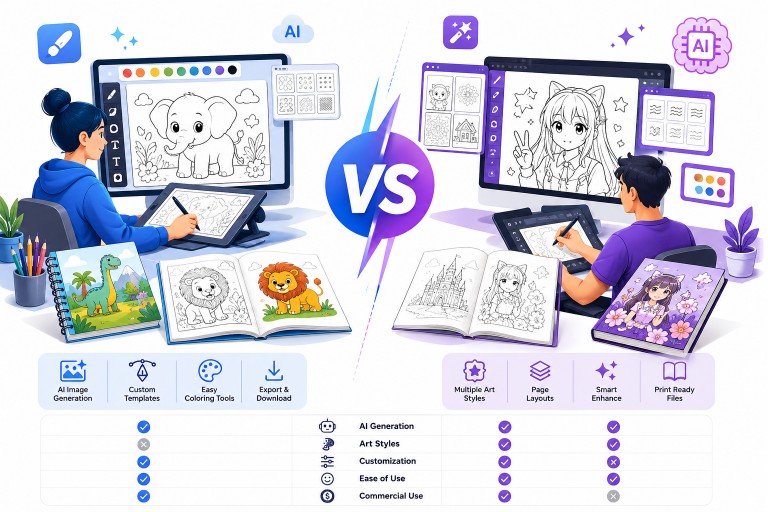
If you're evaluating Midjourney for Amazon KDP coloring books, the real question is not which tool is "better" in general. It is which workflow fits the kind of book you want to publish.
InkChamps and Midjourney are both useful, but they solve different problems. Midjourney is a general-purpose AI image generator. InkChamps is a workflow built specifically for creating coloring-book interiors and getting them closer to KDP-ready output.
Quick Answer
Use InkChamps if: You want a faster, more structured path to a coloring-book interior that is designed for KDP publishing.
Use Midjourney if: You want maximum artistic freedom, especially for unique illustrations or covers, and you are comfortable handling cleanup, layout, and export yourself.
What Each Tool Actually Does
InkChamps
Primary purpose: Help users create coloring-book interiors with a workflow aimed at Amazon KDP publishing.
What it handles:
- Batch generation for coloring-book pages
- A workflow designed around interior creation rather than single images
- Export options optimized for Amazon KDP requirements
- Less manual setup than stitching together a book from individual images
What you get: A publishing-oriented workflow for coloring-book interiors, not just isolated images.
Midjourney
Primary purpose: Generate AI images for a wide range of creative projects.
What it handles:
- Individual image generation from prompts
- Strong style flexibility and creative variation
- High visual quality for concept art, covers, and illustrations
- A broader use case beyond coloring books
What you get: Individual images that usually need additional cleanup, resizing, and assembly before they work as a full coloring-book interior.
The Biggest Difference: Coloring-Book Suitability
This is where the comparison matters most.
A lot of Midjourney outputs look impressive on screen but are not automatically ideal for coloring books. Depending on the prompt and style, you may get:
- Gray shading or gradients
- Excessive detail that feels busy on the page
- Broken or open lines
- Textures that look attractive digitally but print muddy
InkChamps is designed around cleaner coloring-page output. Midjourney can absolutely be used for coloring-book projects, but it usually requires more filtering, cleanup, and judgment.
Feature Comparison
| Feature | InkChamps | Midjourney |
|---|---|---|
| Coloring-book optimized | Yes | Partial, depends on prompt |
| Clean line art | Usually | Inconsistent without cleanup |
| Consistent interiors across many pages | Easier | Harder |
| KDP-oriented export workflow | Yes | No |
| Artistic flexibility | More limited | Much stronger |
| Best for covers | Good | Excellent |
Workflow Difference
InkChamps Workflow
A typical InkChamps workflow is more direct:
- Choose a theme, trim size, and page count.
- Generate a batch of interior pages.
- Review the outputs and keep the pages that fit.
- Export in a format designed for KDP publishing.
Midjourney Workflow
A typical Midjourney workflow involves more manual steps:
- Write prompts for each image or prompt set.
- Generate multiple candidates.
- Upscale and export the best outputs.
- Clean up shading, textures, or line issues where needed.
- Resize the art for your trim size and layout.
- Assemble the book pages in Canva, Photoshop, or another design tool.
- Export the final interior PDF.
- Create the cover separately.
Depending on your experience level and workflow, Midjourney can be relatively fast for individual images, but building a complete KDP-ready coloring book still requires substantially more manual work than using a dedicated coloring-book tool.
Consistency Across Pages
InkChamps
- Designed to maintain a more consistent style across pages than general-purpose image generators
- Better suited for making interiors feel like one book
- Still worth reviewing page-by-page before publishing
Midjourney
- Can produce beautiful individual images
- Style drift is common across larger sets, even with careful prompting
- Usually requires more curation if you want 30 to 50 pages to feel cohesive
KDP Formatting and Export
InkChamps
- Built around a KDP-oriented workflow
- Reduces the amount of manual setup required
- Exports are positioned for Amazon KDP use rather than generic image delivery
Midjourney
Midjourney does not know your:
- Trim size
- Bleed settings
- Page count
- Spine width
- Interior PDF requirements
You still need external tools and a manual publishing workflow to turn Midjourney outputs into a usable KDP book interior.
Cost Comparison
InkChamps
- Starter: $9.99/month — 125 coloring pages
- Pro: $49.99/month — 700 coloring pages
- Premium: $99.99/month — 1,500 coloring pages
- Studio: $199.99/month — 3,100 coloring pages
- See the pricing page for current plans
- Credits can also be used for cover photos and content images
- Cancel anytime
Midjourney
- $10/month (Basic)
- $30/month (Standard)
- $60/month (Pro)
- You may also need Canva Pro, Photoshop, or another design tool for layout and export
Entry prices are close, so the real difference is workflow cost: with Midjourney you still need a layout tool and time to format the book, while the InkChamps KDP coloring book creator exports the interior PDF directly.
Where Midjourney Wins
This is the part many comparisons skip.
Midjourney has real strengths:
- Better artistic freedom
- More unique and stylized imagery
- Better cover-generation potential
- Better for projects beyond coloring books
- A much larger creative community and prompt ecosystem
If your priority is originality, style experimentation, or making standout covers, Midjourney is often the stronger tool.
Where InkChamps Wins
InkChamps is stronger when the goal is not just making images, but finishing a usable coloring-book interior faster.
It is a better fit if you want:
- A workflow centered on coloring books rather than single illustrations
- Cleaner line-art output with less manual cleanup
- More consistency across a full interior
- Less formatting work before publishing
Which Tool Should You Choose?
Choose InkChamps if:
- You want a dedicated coloring-book workflow
- You are publishing interiors for Amazon KDP
- You care more about efficiency and structure than total artistic freedom
- You want to reduce manual assembly work
Choose Midjourney if:
- You want maximum creative control
- You are comfortable with Canva, Photoshop, or other design tools
- You want stronger cover art or more unique illustrations
- You are using the same tool for many kinds of creative projects, not just coloring books
Use both if:
- You want Midjourney for covers or hero illustrations
- You want InkChamps for the interior workflow
- You want a balance between originality and production speed
Bottom Line
InkChamps and Midjourney are not direct substitutes in the purest sense. They sit at different points in the workflow.
Midjourney is stronger as a creative image generator. InkChamps is stronger as a coloring-book production workflow.
If your main goal is publishing KDP coloring books efficiently, InkChamps is the more practical fit. If your main goal is artistic freedom and you do not mind manual assembly, Midjourney remains a strong option.
The most honest answer is this: Midjourney can help you create a KDP coloring book, but it usually asks more from you. InkChamps gives you less creative range, but a more direct path to a publishable interior.
Ready to publish your own coloring book?
InkChamps handles the interior, cover, and KDP formatting — all in one shot.
Create your coloring book