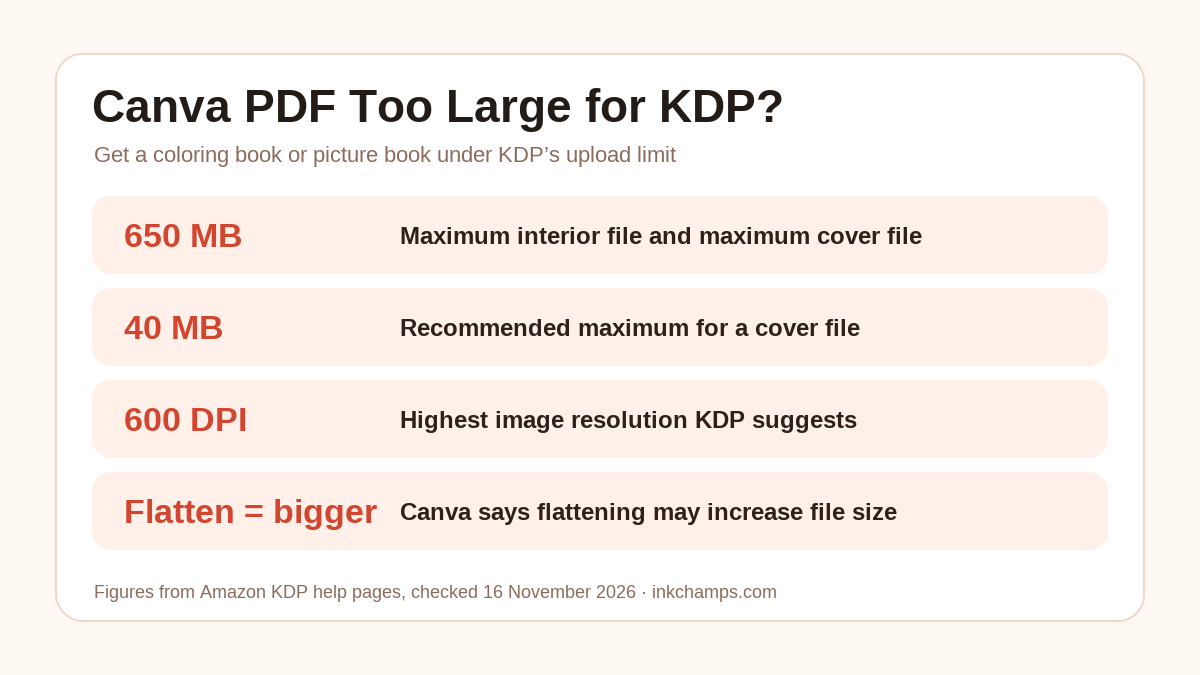
KDP accepts interior and cover files up to 650 MB, and recommends covers of 40 MB or less. Canva PDFs of coloring books and picture books go over that for two reasons: the images inside are much bigger than the page needs, and flattening the PDF makes it bigger still. Canva's own help says flattening may increase file size. Export a print PDF without flattening, keep images near 300 DPI at the printed size, and compress if you still need to.
"PDF too large" threads in the KDP Community describe flattened Canva exports from 450 MB to over 1 GB. A 100-page black-and-white coloring book doesn't need to be anywhere near that.
KDP's limits
| File | Limit | Source |
|---|---|---|
| Interior PDF | 650 MB maximum | Paperback Submission Guidelines |
| Cover PDF | 650 MB maximum; 40 MB or less recommended | Create a Paperback Cover |
| Image resolution | At least 300 DPI, and up to 600 DPI to stay under 650 MB | Paperback Submission Guidelines |
Why the Canva file is so big
Images far bigger than the page
A coloring page for an 8.5 × 11 in book needs about 2550 × 3300 pixels at 300 DPI. Images uploaded at 6000 px or more, or several layered images per page, carry far more data than the print can use, on every page.
Flattening
Flattening turns each page, text and all, into one image, which is usually larger than the original layers. Canva's help page on flattened PDFs says it may increase file size. KDP does ask for transparency to be flattened, but if your pages have no transparent elements, there is nothing to flatten.
Photos and gradients on every page
A colorful background or texture repeated behind every page adds up. Coloring pages should be black line art on white anyway; anything else is size and ink you don't need.
How to get under 650 MB
- Export without flattening. In Canva, choose the print PDF option and leave "Flatten PDF" off unless you have transparent elements. Then check the size.
- Resize images before you place them. Bring each page image in at its printed size at 300 DPI, not larger. For 8.5 × 11 with bleed, 2588 × 3375 px.
- Save line art as PNG, not as huge JPEGs or photos. Pure black-and-white PNGs are small.
- Compress. Canva's "Compress PDF" option (on paid plans) reduces size and may lower image quality. Outside Canva, a PDF optimizer that downsamples images to 300 DPI works too. Avoid any setting that drops images to screen resolution, like 72 or 150 DPI.
- Check the result before uploading. Our KDP interior checker reports the file size against KDP's 650 MB limit, and checks trim, bleed, fonts and blank pages, all in your browser.
The cover is a separate problem
The cover has its own 650 MB limit, but KDP recommends 40 MB or less, and asks for CMYK images and flattened transparencies. A one-page cover over 40 MB almost always has an oversized background photo; resize that image to the cover's printed size at 300 DPI.
Skipping the Canva step
InkChamps makes the whole coloring book interior as one print PDF at your KDP trim size, so there are no page images to resize, layer or flatten. If you keep using Canva for layout, the steps above are what keep the file small.
Sources
Checked on 16 November 2026:
- KDP Paperback Submission Guidelines: 650 MB interior limit, 300–600 DPI images, flatten transparency
- KDP Create a Paperback Cover: 650 MB cover limit, 40 MB recommended, CMYK, flatten transparencies
- Canva Download file types: print PDF at 300 DPI, Compress PDF on paid plans
- Canva Download a flattened PDF: flattening may increase file size
Both companies update these pages without notice, so check them before you rely on a figure.
Frequently asked questions
- What is the maximum file size for KDP?
- 650 MB for an interior PDF and 650 MB for a cover PDF. KDP recommends covers of 40 MB or less.
- Why is my Canva PDF so large?
- Usually because the images are much bigger than the printed page needs, and because flattening turns each page into one large image. Canva's help says flattening may increase file size.
- Should I flatten my Canva PDF for KDP?
- Only if it has transparent elements. KDP asks for transparency to be flattened, but flattening a file without transparency just makes it bigger.
- What resolution should images be to keep a KDP file small?
- 300 DPI at the printed size. KDP suggests no more than 600 DPI to stay under the 650 MB limit.
Get the whole interior as one print PDF
InkChamps builds the coloring book interior as a single PDF at your KDP trim size, so there are no page images to resize or flatten.
Open the KDP coloring book creator