
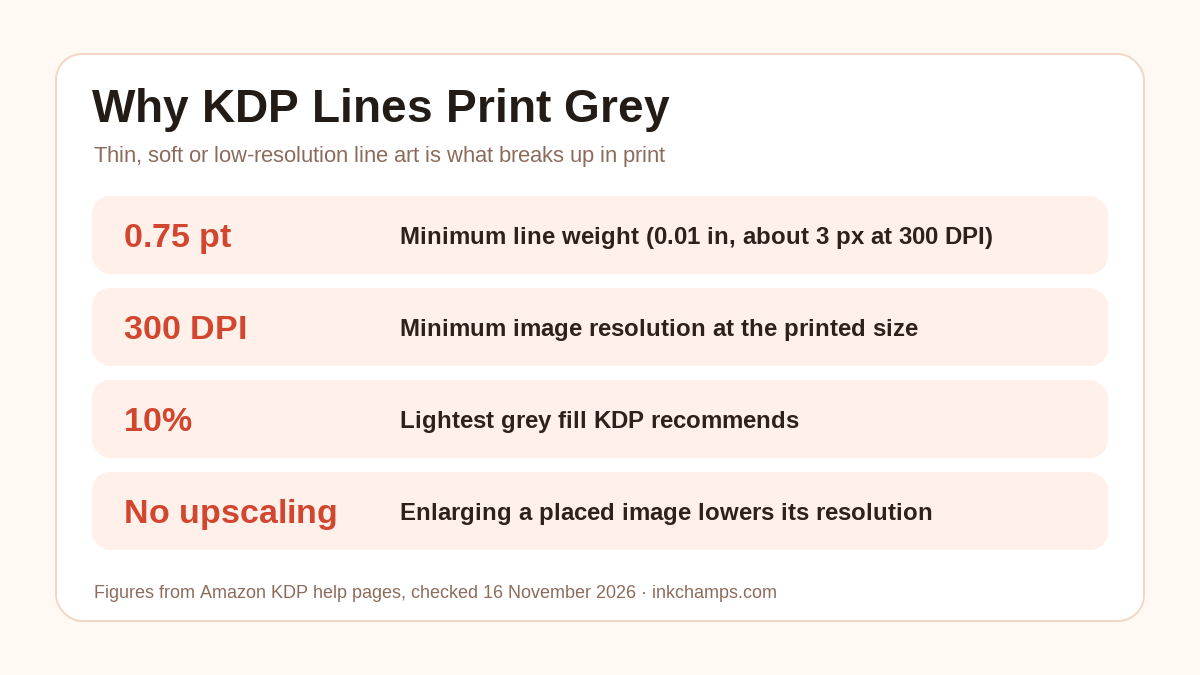
When coloring book lines print grey, broken or fuzzy on KDP, the file is almost always the cause, not the printer. The usual culprits are lines thinner than KDP's 0.75 point minimum, line art drawn in dark grey instead of solid black, soft grey edges around each line, and images that were enlarged to fill the page and now sit well under 300 DPI. Fix those four and your next proof should come back crisp.
"Issues with the printing quality of my coloring books" is one of the most common threads in the KDP Community forum. Below: what KDP's help pages require, why each problem shows up as grey on paper, and how to check a PDF before you order another proof.
What KDP requires for line art
| Rule | KDP's figure | What it means for a coloring page |
|---|---|---|
| Line weight | At least 0.75 pt (0.01 in, about 0.3 mm) | About 3 pixels wide in a 300 DPI image at the printed size |
| Image resolution | At least 300 DPI at the printed size | An 8.5 × 11 in page is 2550 × 3300 px; with bleed, 2588 × 3375 px |
| Grey fills | At least 10% | Fainter tints can disappear in print |
| Enlarging | Don't enlarge placed images | Stretching a small image lowers its real resolution |
The pixel figures are our arithmetic: 0.75 pt is 0.75/72 of an inch, and at 300 pixels per inch that is a little over 3 pixels.
Why lines come out grey
1. The lines are thinner than 0.75 pt
Hairlines look fine on a screen, which zooms and smooths them. On paper, a line under KDP's minimum can break into dashes or fade. Detailed mandalas and adult coloring pages are the usual victims, because their finest strokes are often a pixel or two wide.
Fix: thicken the line art so the thinnest stroke is at least 3 px at 300 DPI. In Photoshop or Affinity, a 1 px stroke or a "minimum/maximum" filter on the line layer does it. For kids' pages, aim much thicker; little hands need bold lines anyway.
2. The "black" isn't black
Line art saved as dark grey, or as a JPEG that has softened solid black into a range of greys, prints as grey. That is what it is in the file.
Fix: open a page, sample the line color, and check it is pure black (0, 0, 0 in RGB, or 100% K). If it isn't, use Levels or Threshold to push the lines to solid black and the background to pure white, then save as PNG rather than JPEG.
3. Every line has a soft grey edge
Most image generators and scaling tools draw lines with anti-aliased edges, a fringe of grey pixels that makes curves look smooth on screen. At full resolution that fringe is invisible. On an image that was small and then stretched, the fringe is several pixels wide and prints as a grey halo or a fuzzy edge.
Fix: start from an image that is already at 300 DPI at the printed size, and threshold it to black and white. If the source is small, redraw or regenerate it at full size rather than upscaling.
4. The image was enlarged to fit the page
A 1024 × 1024 image stretched across an 8.5 in page is about 120 DPI. KDP's help pages say plainly not to enlarge images after placing them, because it lowers the resolution, and they treat anything under 200 DPI as low resolution. Lines in an enlarged image are blurry before the file ever reaches the printer.
Fix: check each page's pixel size against the table above. A page short of 2550 × 3300 px for 8.5 × 11 needs a bigger source, not a bigger zoom.
How to check a PDF before ordering a proof
- Zoom to 400% on the thinnest lines. Solid black edges are good. A grey halo, or lines made of grey pixels, will print grey.
- Measure one thin line. At 300 DPI it should be at least 3 pixels wide.
- Check page size in pixels, not inches, for every image you placed.
- Run the PDF through a file checker for trim size, bleed, fonts, blank pages and file size. Our KDP interior checker does those in your browser; it doesn't measure line weight, so do steps 1 to 3 yourself.
- Order a proof before you publish. KDP recommends it, and it is the only way to see your paper.
Does paper choice matter?
Black-ink books print on white, cream or groundwood paper. KDP notes that white paper shows higher contrast for images and graphics, which is why most coloring books use it. Groundwood is the thinnest option (45 lb), so it suits puzzle books better than marker-heavy coloring. KDP's help pages don't say anything about markers bleeding through; if your buyers use markers, say "single-sided pages" in your listing and put a blank page behind each design.
Making line art that passes the first time
InkChamps draws coloring pages as black line art with no grey shading and builds the PDF at your KDP trim size. If you bring pages from somewhere else, the four checks above apply to them too.
Sources
From Amazon KDP help pages, checked on 16 November 2026:
- Paperback Submission Guidelines: 300 DPI minimum, 0.75 pt minimum line weight, 10% minimum grey fill
- Format Images in Your Book: what KDP counts as low resolution
- Fix Paperback and Hardcover Formatting Issues: don't enlarge placed images
- Print Options: paper types and weights, and ordering a proof
KDP updates these pages without notice, so check them before you rely on a figure.
Frequently asked questions
- What is KDP's minimum line weight?
- 0.75 point, which is 0.01 inch or about 0.3 mm. In a 300 DPI image at the printed size, that is a little over 3 pixels wide.
- Why do my coloring book lines look grey in the KDP proof?
- Usually because the lines are thinner than 0.75 pt, drawn in dark grey instead of solid black, have soft grey anti-aliased edges, or sit in an image that was enlarged below 300 DPI.
- What resolution should coloring pages be for KDP?
- At least 300 DPI at the printed size. For an 8.5 x 11 inch page that is 2550 x 3300 pixels, or 2588 x 3375 with bleed.
- Does KDP print grey shading in coloring books?
- It prints grey fills, and recommends a fill of at least 10%. Lighter tints can disappear. Most coloring pages are better as pure black lines on white.
Make coloring pages as clean black line art
Describe the theme and age group. InkChamps draws black line art with no grey shading and builds the interior PDF at your KDP trim size.
Open the KDP coloring book creator