
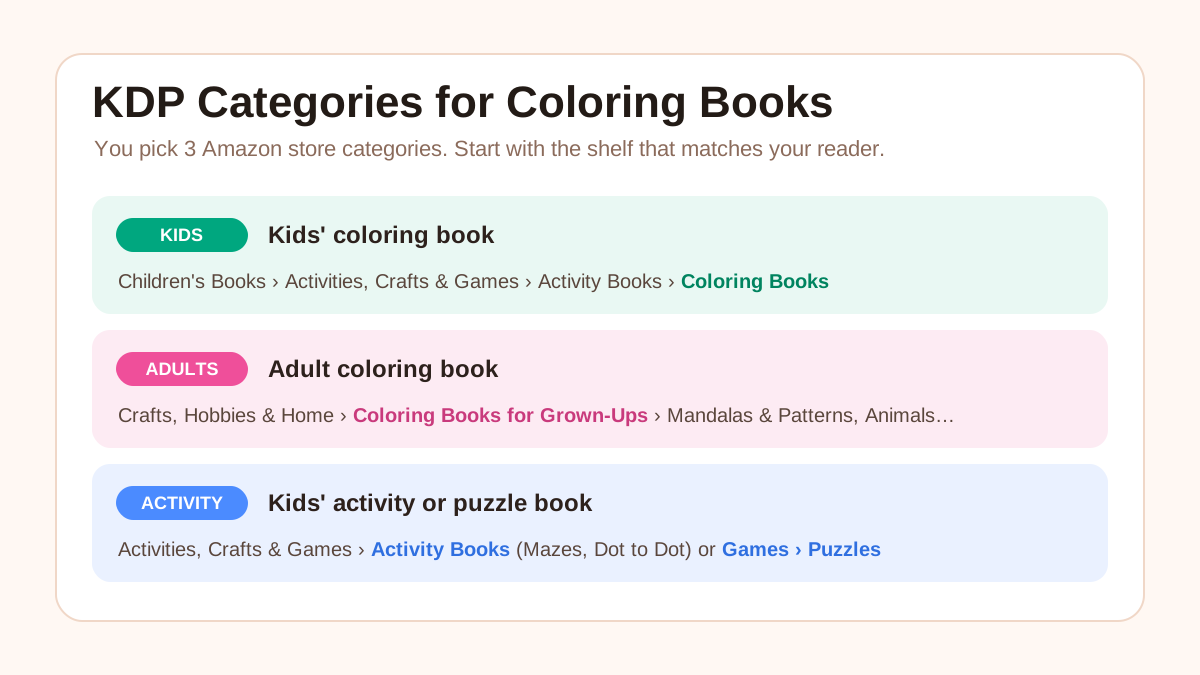
For a kids' coloring book on Amazon.com, the category is Children's Books › Activities, Crafts & Games › Activity Books › Coloring Books. For an adult coloring book, it is Crafts, Hobbies & Home › Coloring Books for Grown-Ups, plus the subcategory that fits your theme, such as Mandalas & Patterns or Animals. KDP lets you pick three categories when you set up the book, chosen straight from Amazon's own store categories, and you can change them later.
The rest of this guide covers how category selection works since KDP changed it in 2023, the full list of coloring and activity book categories, how to see where competing bestsellers are listed, and the mistakes that keep books out of the right shelf.
Every KDP rule below comes from KDP's own help pages, and every category path from Amazon.com's Best Sellers pages, checked on 3 October 2026. Amazon renames and adds categories from time to time, so confirm the path in KDP's picker before you publish.
Looking for which coloring book themes sell, rather than which Amazon category to file a book under? That's a niche question. See the 10 best coloring book niches for KDP in 2026.
Quick answer: category paths on Amazon.com
| Your book | Category path |
|---|---|
| Kids' coloring book | Books › Children's Books › Activities, Crafts & Games › Activity Books › Coloring Books |
| Adult coloring book | Books › Crafts, Hobbies & Home › Coloring Books for Grown-Ups › one of 10 theme subcategories |
| Kids' activity book (mazes, dot-to-dot, mixed) | Books › Children's Books › Activities, Crafts & Games › Activity Books and its subcategories |
| Kids' puzzle or word search book | Books › Children's Books › Activities, Crafts & Games › Games › Puzzles or Word Games |
| Adult coloring book sold for relaxation | Also consider Books › Self-Help › Art Therapy & Relaxation |
How KDP categories work now
You pick three. KDP's categories help page says you can select 3 categories when you create a book. You choose them on the book's Details tab, in the Categories section.
They are Amazon's real store shelves. The list you choose from is Amazon's own store categories, not a separate publishing code list. KDP says the categories you pick, together with your keywords, tell Amazon where to "shelve" the book.
Audience and marketplace come first. KDP's metadata guidelines say you choose categories "from a list based on your primary audience and marketplace", and that you must select a primary marketplace before you can pick categories. For most US sellers that's Amazon.com. When KDP introduced the new system in 2023, its help page said Amazon places the book in categories on your other marketplaces automatically.
Categories differ by format and marketplace. KDP notes that some categories aren't available for every format, and that the Amazon.com and Amazon.co.jp category lists aren't the same. If you can't find a category, KDP says to pick the closest match.
What changed in 2023
Older guides describe a different system, so it's worth knowing what they're talking about:
- Before 2023, KDP had you choose two categories from a list based on BISAC codes. KDP then added the book to all the store categories it judged relevant, so it said the categories you picked and the ones shown on Amazon wouldn't necessarily match.
- By mid-2023, you chose three Amazon store categories directly, as you still do. KDP's help page at the time said: "Since you can now choose your own categories, we are no longer accepting requests to add or update categories."
So advice to email KDP support and ask for up to ten categories is out of date. Today's help pages describe no way to request more. To use a different category, you remove one of your three and add another.
How many categories does a book show?
Up to three. KDP's Sales Ranking page says a book can be ranked in up to three Best Seller category lists "regardless of how many categories the book may feature within", and that customer activity decides which three. These show under Best Sellers Rank in the book's Product Details.
Kids' coloring book categories
The main shelf is:
Books › Children's Books › Activities, Crafts & Games › Activity Books › Coloring Books
Its neighbours under Activity Books are Cut & Assemble, Diaries, Dot to Dot, Hidden Picture and Mazes. If your book genuinely mixes coloring with mazes or dot-to-dot pages, one of those can be a second pick.
Set the reading age, or you may not get in. KDP's Primary Audience page says that without an appropriate reading age, a children's book "may not be eligible for your selected children's categories" and won't appear in age-specific search results. For Children's categories, KDP's categories page lists these ranges: 0-2, 3-5, 6-8 and 9-12. Teen & Young Adult categories use 13-17. Answering Yes to the sexually explicit question makes a book ineligible for Children's categories.
Your third pick can be the subject. On 3 October 2026, the top sellers in Children's Coloring Books listed rankings in subject categories alongside the coloring one: Children's Halloween Books, Children's Christmas Books, Children's Dinosaur Books, Children's Animals Books and Children's Art Books, among others. A dinosaur coloring book can sit on a dinosaur shelf as well as a coloring shelf. Only do this when the book really is about that subject (more on this under mistakes).
For page design by age, see how to format a children's coloring book for KDP.
Adult coloring book categories
The main shelf is:
Books › Crafts, Hobbies & Home › Coloring Books for Grown-Ups
It has 10 subcategories on Amazon.com:
- Animals
- Cities & Architecture
- Comics & Manga
- Fantasy & Science Fiction
- Fashion
- Flowers & Landscapes
- Humorous
- Mandalas & Patterns
- Religious & Inspirational
- Science & Anatomy
Pick the subcategory that matches your theme. On 3 October 2026, the top-selling adult coloring books mostly showed their rank in a specific subcategory, such as Humorous, Fantasy & Science Fiction, Mandalas & Patterns or Science & Anatomy. A subcategory is a smaller list than the parent, so your book has fewer books to compete against.
Adult coloring bestsellers also ranked outside the coloring tree. Categories that came up included:
- Books › Self-Help › Art Therapy & Relaxation, for books sold as stress relief or relaxation
- Books › Crafts, Hobbies & Home › Crafts & Hobbies › Activity Books
- Subject categories that match the content, such as digital art, landscape painting or anatomy
Don't set a children's reading age on an adult book. KDP ties Children's categories to the children's reading-age ranges, so the two have to agree.
Activity book categories
For a kids' activity book, start with Children's Books › Activities, Crafts & Games › Activity Books, then use its subcategories where they fit: Coloring Books, Cut & Assemble, Dot to Dot, Hidden Picture and Mazes.
Puzzle-heavy books have another branch: Children's Books › Activities, Crafts & Games › Games, which includes Puzzles and Word Games. A word search book belongs there more naturally than under Coloring Books.
A mixed book with coloring, mazes and word searches can use three different shelves: one coloring, one activity, one puzzle. See how to create a mixed activity book for kids for what to put in one.
Kids or adults: how to choose
Choose the shelf for the person the pages are designed for, not the widest possible audience.
- Thick lines, big shapes, simple scenes, a reading age under 13: kids' categories.
- Fine detail, intricate patterns, relaxation as the promise: Coloring Books for Grown-Ups.
- "Bold and easy" books that sell to both: decide which buyer you're writing the listing for. On 3 October 2026, one cozy-style series sold an "Adults and Kids" edition that ranked in Children's Coloring Books, and an "Adults and Teens" edition that ranked in Coloring Books for Grown-Ups. Same art style, separate books, each with one clear audience.
If you make your pages with the InkChamps KDP coloring book creator, you choose the audience before generating. Use the same audience for the category and reading age so the pages, the shelf and the listing all agree.
BISAC codes vs Amazon categories
BISAC is the book industry's standard subject list, maintained by the Book Industry Study Group. Each heading has a nine-character code. The ones that apply to coloring and activity books are:
| BISAC code | Heading |
|---|---|
| GAM019000 | GAMES & ACTIVITIES / Coloring Books |
| GAM020000 | GAMES & ACTIVITIES / Activity Books |
| JNF001010 | JUVENILE NONFICTION / Activity Books / Coloring |
| JNF001000 | JUVENILE NONFICTION / Activity Books / General |
BISG defines Juvenile Nonfiction as books for children aged 0-11, so a coloring book for young children fits JNF001010 and an adult one fits GAM019000. BISG recommends no more than three headings per book. Sources: BISG's Games & Activities and Juvenile Nonfiction lists.
You don't need a BISAC code to publish on KDP. KDP's current category help doesn't mention BISAC at all: you pick Amazon store categories directly. BISAC codes matter only if you also distribute through a platform that asks for them.
How to see where competing bestsellers are listed
- Open the Best Sellers list for your category, for example Children's Coloring Books or Coloring Books for Grown-Ups.
- The left-hand panel shows the category tree. Click into subcategories to see the full path and the neighbouring shelves.
- Open 10-20 books that are close to yours in theme and audience.
- Scroll to Product details and find Best Sellers Rank. It lists up to three categories, each a link to that Best Sellers list.
- Note each book's reading age. KDP says it appears on the product page below the description.
- Write down the categories that come up repeatedly for books like yours.
Read the result with care. KDP says customer activity decides which three categories a book is ranked in, so the three you see aren't necessarily the three the publisher picked. Some books showed only one or two category ranks. Use what you find as a list of shelves where similar books sell, not as a copy of someone's settings.
For a fuller research method, see how to publish and sell a coloring book on Amazon KDP.
Common mistakes
Putting a kids' book on an adult shelf, or the other way round. Buyers who browse Coloring Books for Grown-Ups expect detail. Parents browsing Children's Coloring Books expect pages a child can finish. The wrong shelf gets the wrong buyer.
Leaving out the reading age on a kids' book. KDP says it may then not be eligible for the children's categories you picked.
Ticking "Low-content" for a coloring book. The low-content checkbox sits in the Categories section. KDP's low-content page says coloring and puzzle books are generally not low-content, because their pages aren't repetitive. Low-content books can't use the free KDP ISBN, can't join Expanded Distribution or a series, and get no Look Inside preview if published without an ISBN. You can't change the ISBN choice later without unpublishing and republishing.
Choosing a category just because it's small. KDP says it does "not tolerate categorization that misleads readers", reviews category changes, and may remove or change a category that doesn't match the content. A mandala book doesn't belong in Science Fiction because that list is easier to rank in.
Repeating category words in your keywords. KDP's keywords page lists "words already mentioned in your book categories" as something to avoid. You get up to seven keywords. Spend them on the theme, audience and use: "ocean animals", "ages 4-8", "bold and easy", "gift for grandma". KDP also says keywords help shelve a book when no category fits exactly.
Following pre-2023 advice. Guides that tell you to choose BISAC codes in KDP, or email support for extra categories, describe a system KDP no longer uses.
Changing categories later
You can change categories after publishing. KDP's categories page gives the steps:
- Go to your Bookshelf and click the ellipsis (…) next to the book.
- Select Edit details.
- Check Primary Audience and Primary Marketplace first.
- In Categories, choose Edit categories. If you already have three, click Remove next to the one you're replacing.
- Pick the new category, save, and submit the book again.
KDP says new categories can take up to 72 hours to show, and it reviews the change. Your categories can also change without you doing anything if Amazon updates its category list. Keywords can be changed as often as you like, and KDP says reading-age updates can take up to 48 hours to show.
While you're in the book's setup, check that the bleed setting matches your interior PDF. See bleed vs no bleed for coloring books.
Frequently asked questions
How many categories can I choose for a KDP coloring book?
Three. KDP's help page says you can select 3 categories when you create a book, chosen from Amazon's store categories for your primary marketplace.
What is the KDP category for a children's coloring book?
On Amazon.com it is Books › Children's Books › Activities, Crafts & Games › Activity Books › Coloring Books. Set a reading age in one of KDP's children's ranges (0-2, 3-5, 6-8 or 9-12), or the book may not be eligible for children's categories.
What is the KDP category for an adult coloring book?
Books › Crafts, Hobbies & Home › Coloring Books for Grown-Ups. It has 10 subcategories on Amazon.com: Animals, Cities & Architecture, Comics & Manga, Fantasy & Science Fiction, Fashion, Flowers & Landscapes, Humorous, Mandalas & Patterns, Religious & Inspirational, and Science & Anatomy.
Can I ask KDP to add more categories?
No. When KDP moved to self-selected categories in 2023, it said it was no longer accepting requests to add or update categories. You change categories by editing your three in KDP.
Do I need a BISAC code to publish a coloring book on KDP?
No. KDP now has you pick Amazon store categories directly. The BISAC codes for coloring books are GAM019000 (Games & Activities / Coloring Books) and JNF001010 (Juvenile Nonfiction / Activity Books / Coloring), but you only need them for platforms that ask for BISAC.
Is a coloring book a low-content book on KDP?
Generally not. KDP says activity books such as coloring and puzzle books usually aren't low-content, so don't tick the low-content box. Leaving it unticked keeps the book eligible for a free KDP ISBN.
Can I change my KDP categories after publishing?
Yes. Edit the book's details, remove a category and add a new one, then submit. KDP says the change can take up to 72 hours to show on Amazon.
Can I publish a coloring book on Amazon KDP?
Yes. KDP publishes coloring books as paperbacks and hardcovers. A black-ink paperback needs at least 24 pages, Standard Color at least 72, and a hardcover at least 75. Since 21 September 2026, KDP allows 2 new titles per format per week. See how to publish and sell a coloring book on Amazon KDP for the full process.
Sources
KDP help pages (checked 3 October 2026):
- KDP Categories
- Metadata Guidelines for Books
- Primary Audience and Reading Age
- Make Your Book More Discoverable with Keywords
- Sales Ranking
- Low-Content Books
- KDP Categories page as archived in December 2022 and July 2023
Amazon.com Best Sellers category pages (checked 3 October 2026):
- Children's Coloring Books
- Children's Activity Books
- Children's Game Books
- Coloring Books for Grown-Ups
- Art Therapy & Relaxation
BISAC subject headings (Book Industry Study Group):
Make the book before you pick the shelf
Choose the audience, describe a theme, and get a consistent set of coloring pages as one KDP-ready PDF.
Open the KDP coloring book creator