
Claude can make coloring pages, but not the way ChatGPT does. It has no image generator, so it draws each page in code (SVG), one shape at a time. That gives you crisp lines at true 300 DPI, which is great for KDP. The trade-off is simple, clip-art-style drawings, characters stuck in one pose, and some fixing on every page.
We tested it on 10 November 2026 with Claude Opus 5.5 in Claude Code, Anthropic's coding tool. We gave it the same brief we used in our ChatGPT test: a farm-animal coloring book for ages 4 to 6, 8.5 × 11 inches, for a KDP paperback. The Claude app draws the same way, with SVG and code, so you should see similar results there.
1. Claude draws with code, not pictures
Anthropic's own help page says Claude doesn't generate photos or illustrations the way image tools do. Instead, it writes drawing code. Ask for a coloring page and you get SVG: a list of circles, rectangles and curves with exact coordinates.
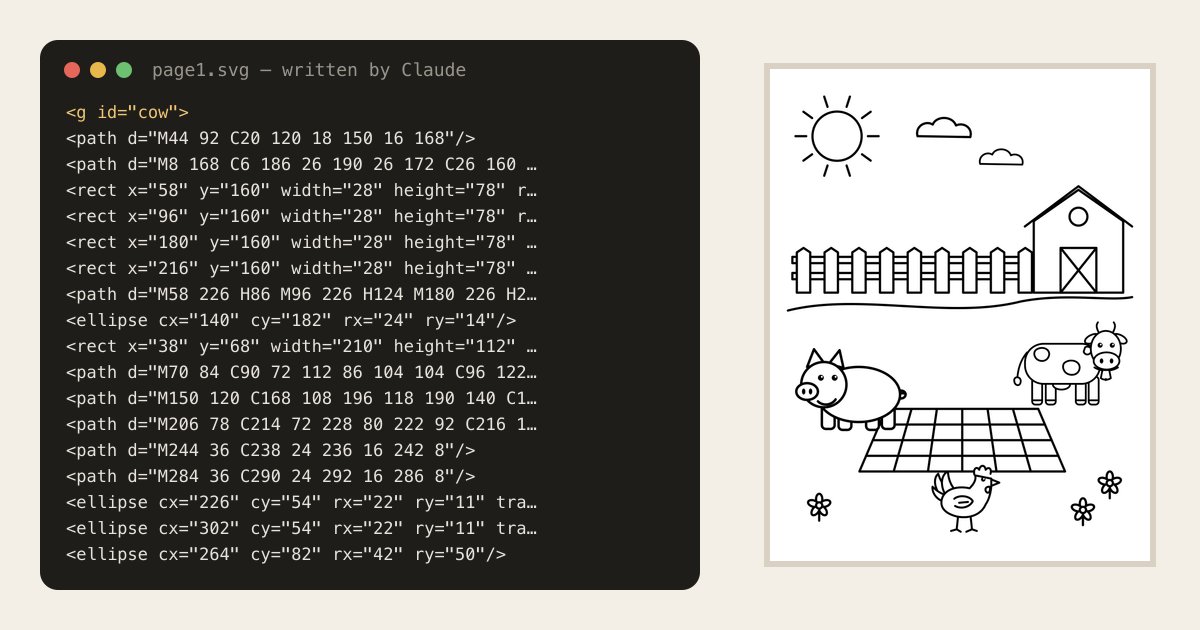
Here are a few lines from the cow it drew, with our notes added:
<g id="cow">
  <rect x="38" y="68" width="210" height="112" rx="52"/>   <!-- body -->
  <rect x="58" y="160" width="28" height="78" rx="9"/>     <!-- a leg -->
  <ellipse cx="264" cy="82" rx="42" ry="50"/>              <!-- head -->
  <ellipse cx="266" cy="116" rx="36" ry="24"/>             <!-- muzzle -->
  ...
</g>
Each page came to about 17 KB of code, or around 120 shapes. Here's the first page, a cow, a pig and a hen with a picnic blanket in a farm field:
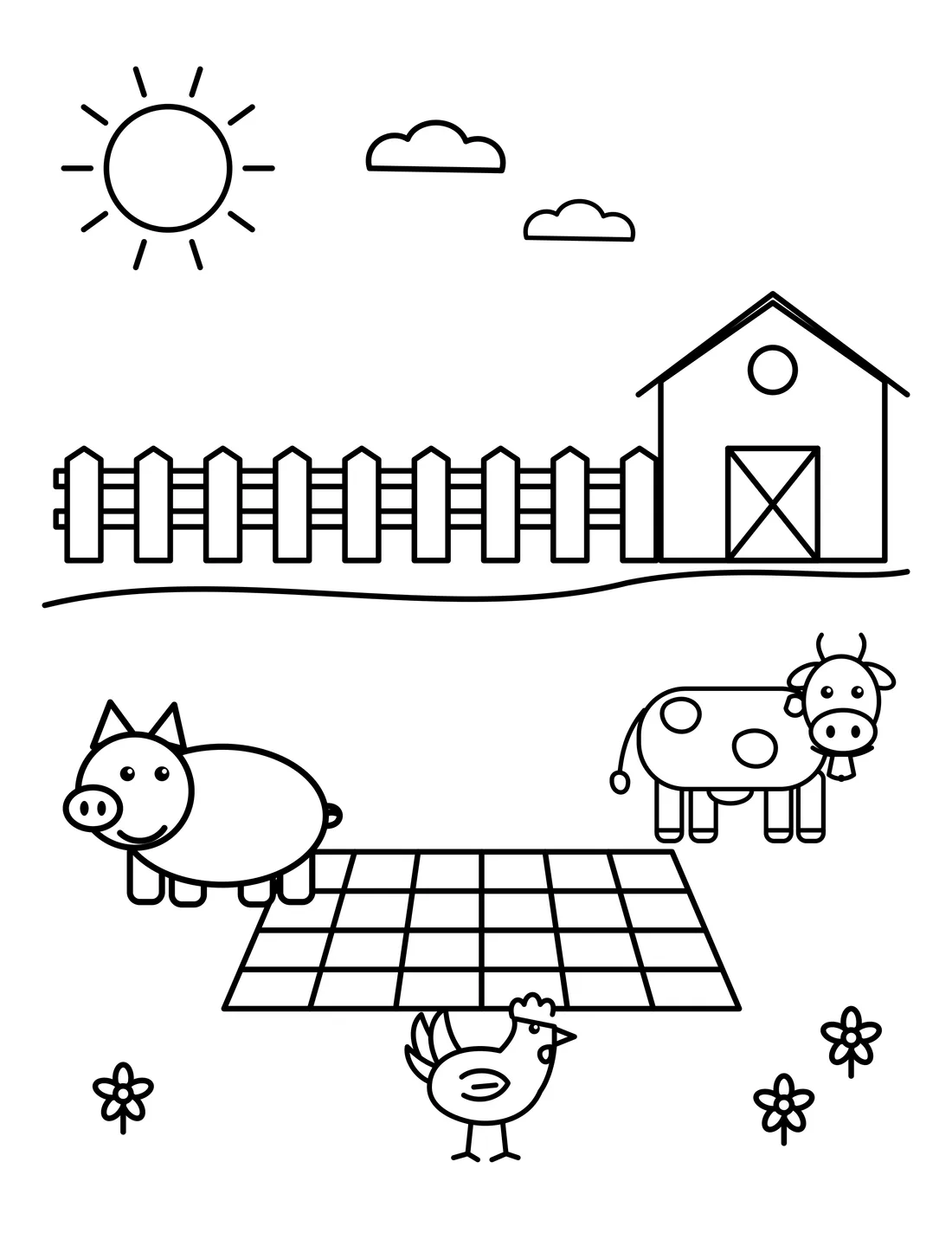
It's clean and easy to color, with thick lines and no gray, just as we asked. But it looks like clip art. Everything is built from basic shapes, so you won't get the detail, texture or expressions an image generator gives you.
2. Claude can't see what it draws
Claude writes the coordinates without seeing the result. On the second page, its first try had three mistakes:
- the cow was standing on the horizon line instead of on the grass
- the tree was a bare triangle on a stick
- the pig was covering one of the apples on the blanket
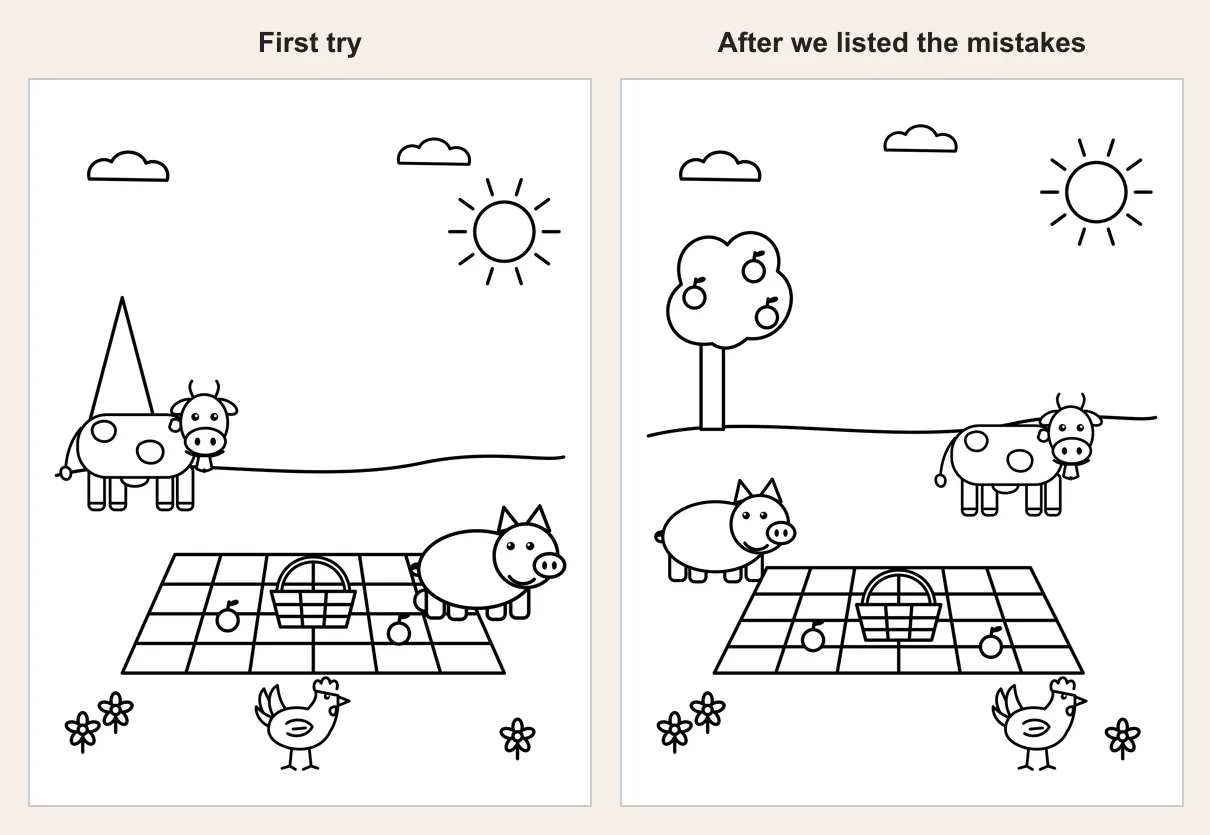
We only spotted them by turning the code into an image and looking. After we listed them, the second try fixed all three. For a 30-page book, plan on checking every page and asking for fixes like this.
3. Characters stay the same, and so does their pose
This is where drawing in code helps. Claude defined the cow, the pig and the hen once and reused them on every page, so they're exactly the same each time. You don't have to keep reminding it what your characters look like, as you do with ChatGPT.
The catch is that they're the same drawing, in the same pose, on every page. The cow always stands side-on. Our brief said the animals were spreading the picnic blanket, but nobody is holding it. They just stand next to it. A sitting pig or a hen pecking at a sandwich means asking Claude to draw a new version of that character, then checking it again.
4. Real 300 DPI, which is Claude's big advantage
An SVG drawing has no fixed size, so it stays sharp at any size. We turned each page into a 2550 × 3300 pixel image, exactly what an 8.5 × 11 inch page needs at 300 DPI, with no upscaling and no stretching:
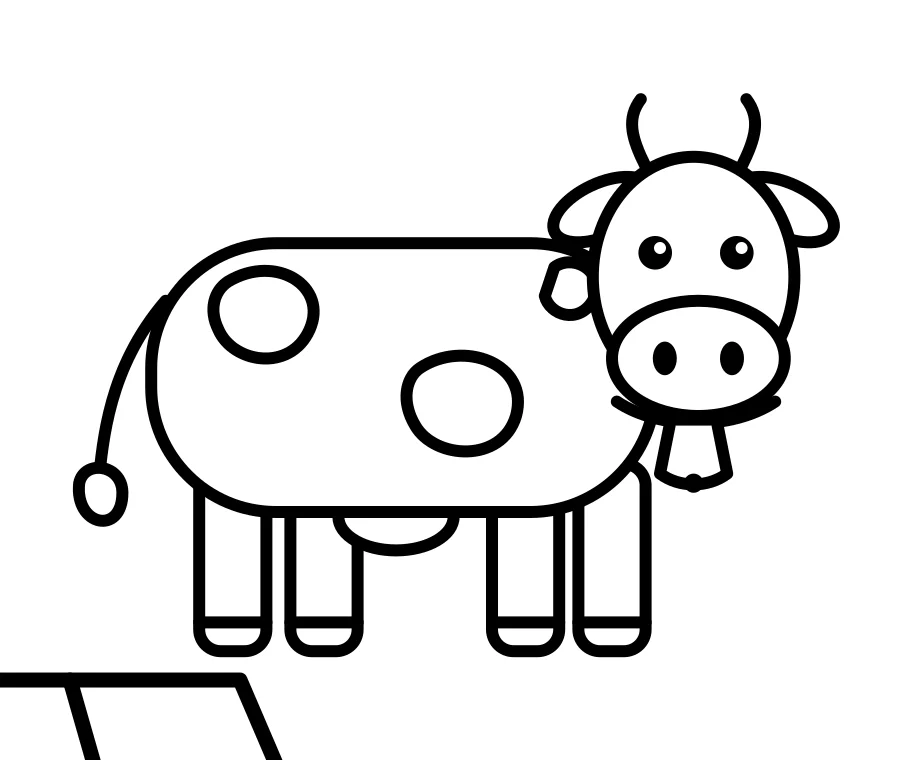
That's the opposite of our ChatGPT test, where every page came out at 130 to 170 DPI and needed a separate upscaling tool. Other trim sizes, and pages with bleed, work the same way: you change the page size in the code and render again.
5. The PDF still needs checking
Claude can build the PDF too, by writing and running a short program. Ours had a title page and a blank back behind every coloring page, so markers don't bleed through.
The first PDF had the same problem as ChatGPT's: the title page used a font that wasn't embedded in the file, and KDP asks for all fonts to be embedded. Claude fixed it when we asked, by turning the title page into a picture.
Before you upload, check the file with our KDP interior checker and KDP's Print Previewer, and order a printed proof. Remember that KDP needs at least 24 pages for a paperback, so a real book means 12 or more pages drawn, checked and fixed this way.
So, is Claude good for making a coloring book?
| What you're making | Claude? |
|---|---|
| Simple pages for toddlers to print at home | Yes. Bold, simple shapes suit little kids, and the lines print crisply. |
| A classroom pack | Yes, if simple clip-art style is fine. |
| A book to sell on Amazon KDP | Hard. The 300 DPI part is easy, but every page needs checking and fixing, and the art looks basic next to other books. |
| Detailed scenes, mandalas or realistic animals | No. Drawing with basic shapes can't get that detail. |
Can you sell a coloring book made with Claude?
Anthropic's consumer terms assign you whatever rights they have in what Claude makes for you. KDP asks you to say when a book's images are AI-generated, even if you edited them. Claude's pages are drawn by an AI, so we'd tell KDP. Our guide on selling AI-generated coloring books on Amazon explains the rules.
Already using Claude? Let it order the whole book
You can get Claude's help without having Claude draw every page. Connect InkChamps to Claude and ask for a book in plain words. Claude passes your theme, age group and page count to the InkChamps coloring book maker, which:
- draws every page from one description, with the same characters in different scenes and poses
- sizes every page for your trim: 8.5 × 11, 8.5 × 8.5 or 6 × 9, with or without bleed
- upscales every page for 300 DPI print
- builds one KDP-ready PDF, and lets you redraw any single page you don't like
Our step-by-step guide shows how to connect InkChamps to Claude. The pages are AI-made too, so you still tell KDP when you publish.
Sources
- Anthropic, Can Claude produce images?: no built-in image generation; visuals are made with HTML and SVG
- Anthropic, Create and edit files with Claude: Claude can create PDF files with code
- Anthropic, Consumer Terms of Service: who owns Claude's output
- Amazon KDP, Paperback Submission Guidelines: 300 DPI images and embedded fonts
- Amazon KDP, Content Guidelines: disclosing AI-generated images
- Our test with Claude Opus 5.5 on 10 November 2026, using the same brief as our ChatGPT test
Claude changes often, so you may get slightly different results.
Frequently asked questions
- Can Claude make a coloring book?
- It can draw coloring pages, but not with an image generator, because Claude doesn't have one. It writes each page as SVG drawing code. The pages print crisply at 300 DPI, but the drawings are simple clip-art shapes, the characters keep the same pose, and in our test pages needed checking and fixing before they were usable.
- Can Claude generate images?
- Not photos or illustrations. Anthropic's help center says Claude makes visuals such as diagrams and drawings with HTML and SVG code instead. For a coloring page, that means Claude writes the shapes and lines as code, which you then turn into an image or a PDF.
- Are Claude's coloring pages 300 DPI?
- Yes, if you render them at the right size. SVG drawings have no fixed resolution, so we rendered Claude's 8.5 x 11 inch pages at exactly 2550 x 3300 pixels, which is 300 DPI, with no upscaling.
- Is Claude or ChatGPT better for a coloring book?
- They fail in different ways. ChatGPT draws richer, more detailed pages, but in our test they came out at 130 to 170 DPI and needed upscaling. Claude's pages are sharp at 300 DPI but look like simple clip art. Neither makes a KDP-ready book by itself.
- Can I use Claude to make a whole coloring book for KDP?
- You can connect InkChamps to Claude, then ask Claude for a book in plain words. InkChamps draws every page, sizes it for your trim, upscales it for 300 DPI and builds one KDP-ready PDF.
Let Claude order the whole book
Describe a theme and an age group. Get every page drawn to match, upscaled for 300 DPI print, and put together as one KDP-ready PDF, from the InkChamps app or straight from Claude.
Open the coloring book maker